
Screens
What it does
- 01
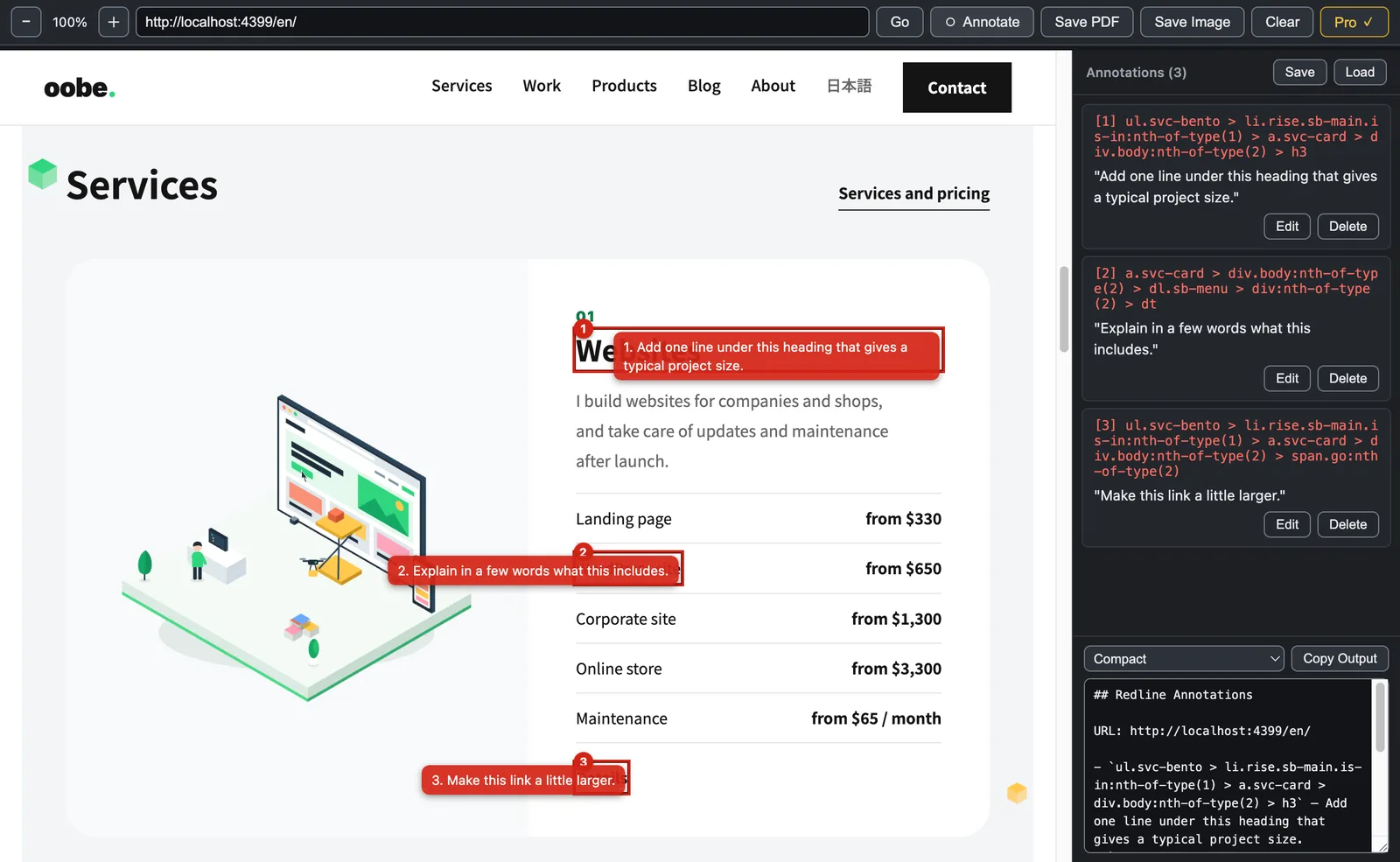
Mark up directly on the screen
Open a web page or a local HTML file and click an element. It gets a red outline and a number, and you write your instruction beside the number.
- 02
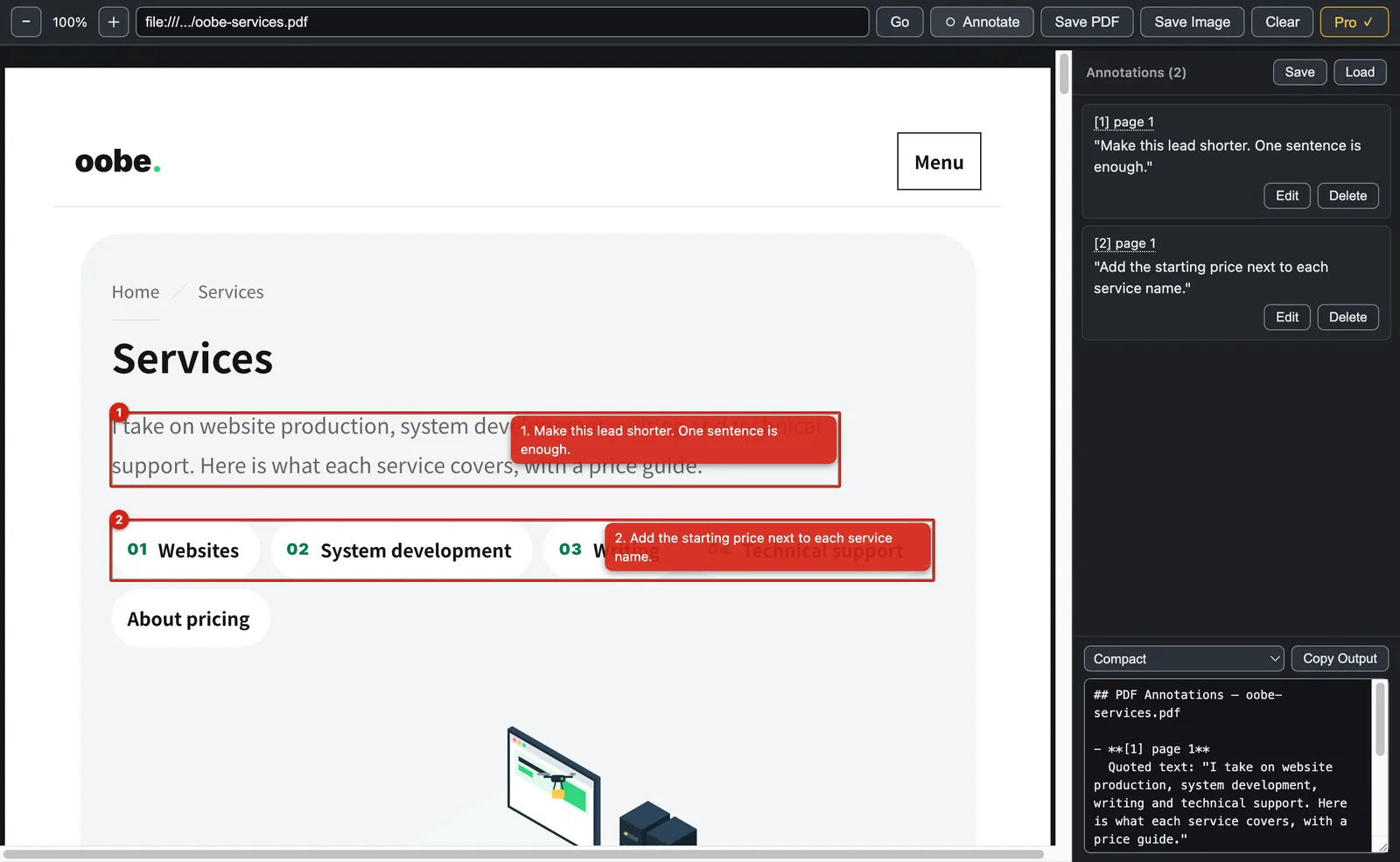
Mark up PDFs too
On a PDF, draw a box around an area and attach an instruction. The text inside the box is quoted automatically.
- 03
Export in four ways
Export as Markdown, PDF, an image, or an annotated PDF. Redline can also output revision instructions in a form you can hand to an AI.
- 04
Pick up where you left off
Save the state of your work and load it again. Your marks stay even when the page is reloaded.
Free and Pro
| Free | Pro | |
|---|---|---|
| Markup on HTML | Yes | Yes |
| Markup on PDF | — | Yes |
| Export of annotated PDFs | — | Yes |
| Saving and loading your work | — | Yes |
| Markdown export | 2 formats | 4 formats |
| Watermark on exports | Added | None |
Redline Pro is $19, a one-time purchase. It is still in preparation and cannot be bought yet. The conditions of sale are in the legal notice, and the conditions of use are in the Terms of Use.
Specifications
- Requirements
- macOS 12 or later (Apple Silicon)
- Interface language
- Japanese and English (follows the OS setting)
- Price
- Redline Pro: $19, a one-time purchase. Still in preparation, so it cannot be bought yet.
- Availability
- Not on sale yet. Purchase and download are not available.
Questions about Redline
Send me anything you want to know about its features.